· 3 min read
Introducing Cook Studio: One Prompt, a Publish-Ready YouTube Video
Cook Studio is the AI studio for YouTube channels: write a topic, get a publish-ready video from 1 to 30 minutes, with real photos, B-roll, motion graphics, music and SFX.
Watch the launch film (99 seconds)
Cook Studio is the AI studio for YouTube channels: write a topic, get a publish-ready video.
Today we're launching it. Everything in our launch film was cooked from one prompt: "the founding story of apple". No timeline, no stock library search, no editor in between. This article walks through what that prompt produced and what Cook Studio can do for your channel.
What Cook Studio does
- Give it a topic, get a publish-ready video
- Real photos from the web, YouTube B-roll, motion graphics, animation, music and SFX included
- Any length from 1 to 30 minutes
- Reference any video to get the same style
- Fix any scene of the finished video in plain words
- Adapts itself to any niche
- HeyTuber, our AI avatar model, for avatar channels
- All from a single prompt
One prompt, the whole video
When you write a topic, Cook Studio writes an original script, records the voiceover, finds the visuals, adds motion graphics and music, edits the video and designs the thumbnail.
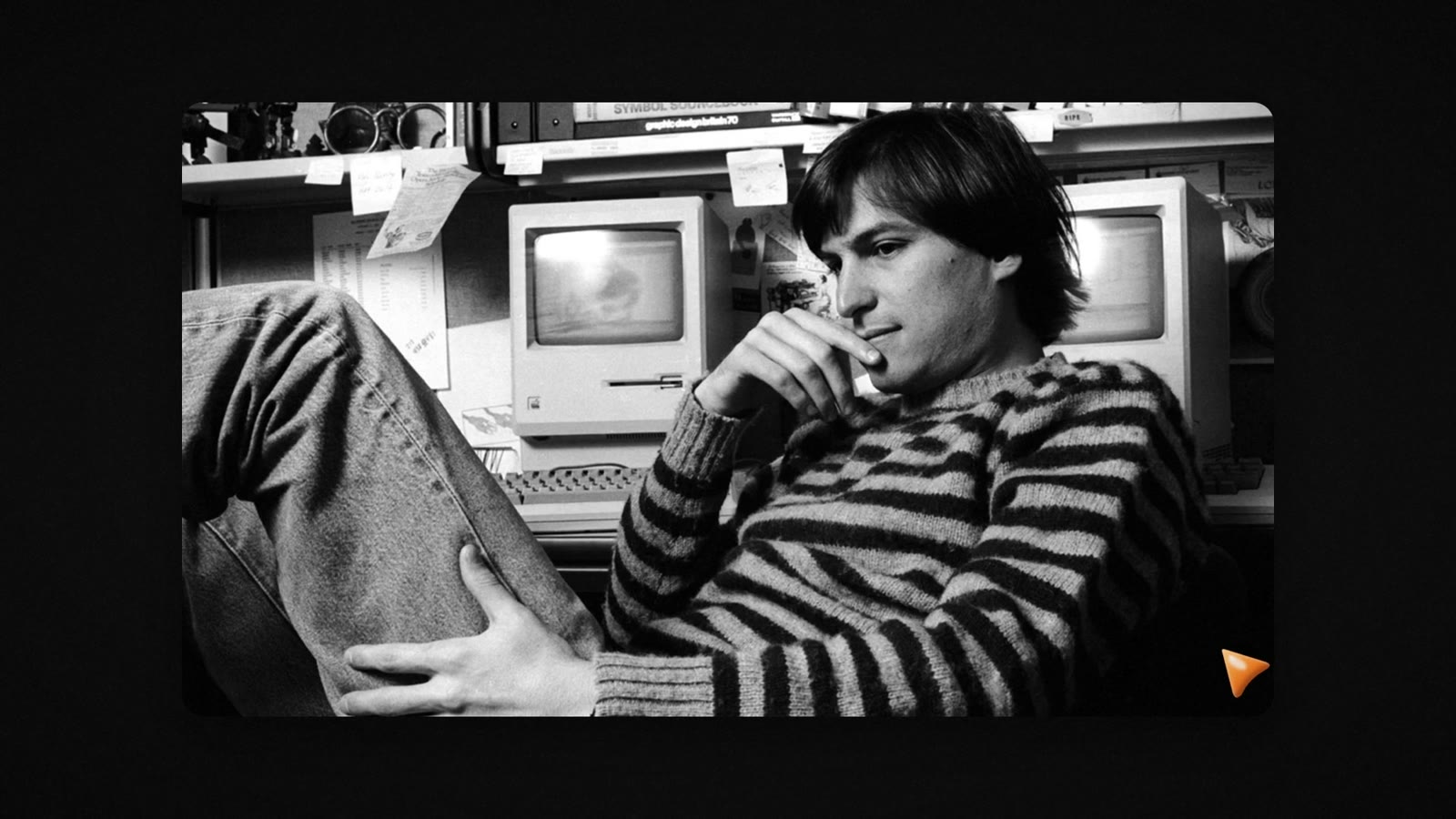
For "the founding story of apple", that meant archive photos of a young Steve Jobs:
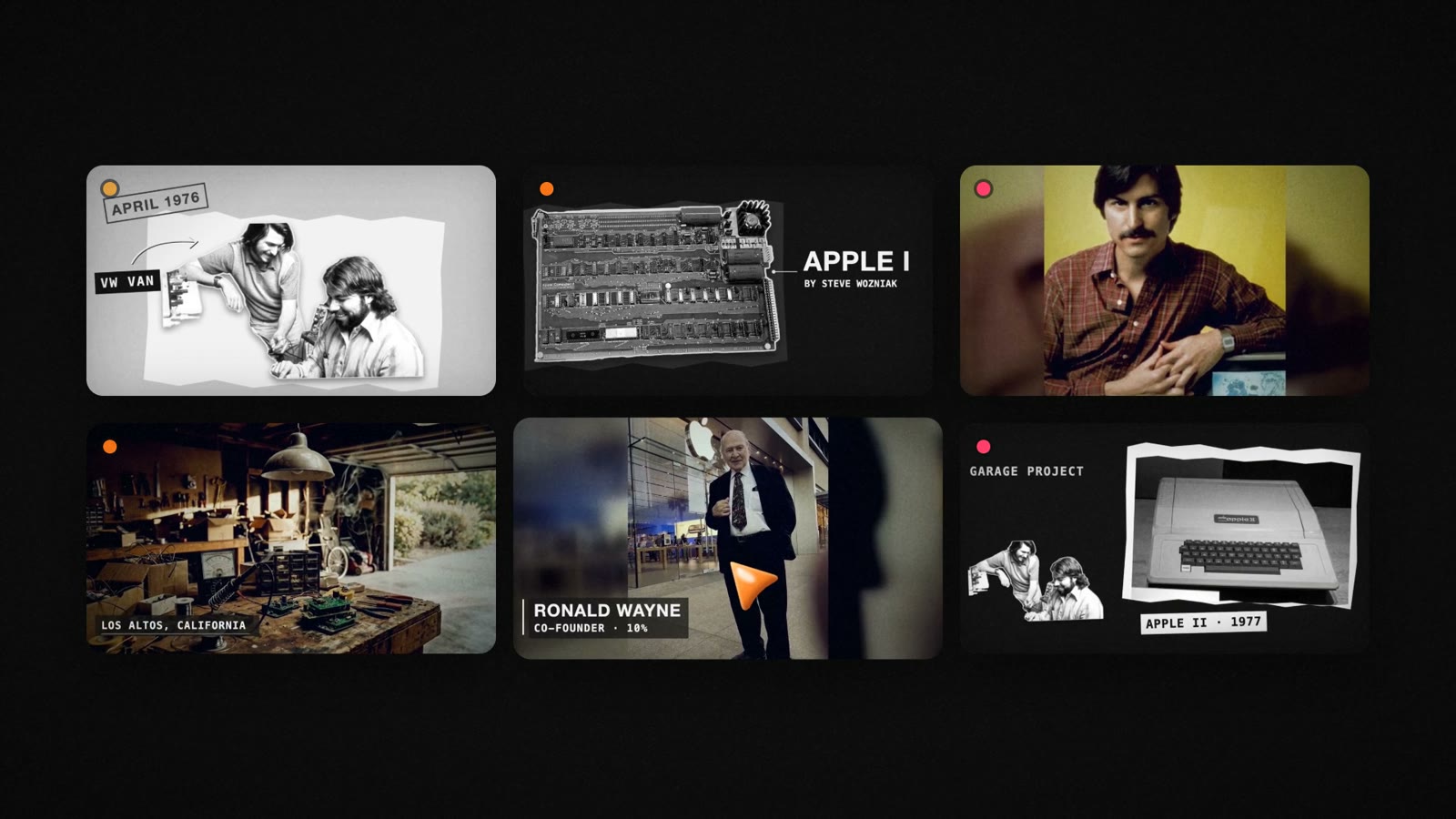
Scenes chosen one by one, the way a real editor would: April 1976, the Apple I, Los Altos, Ronald Wayne, the garage project.
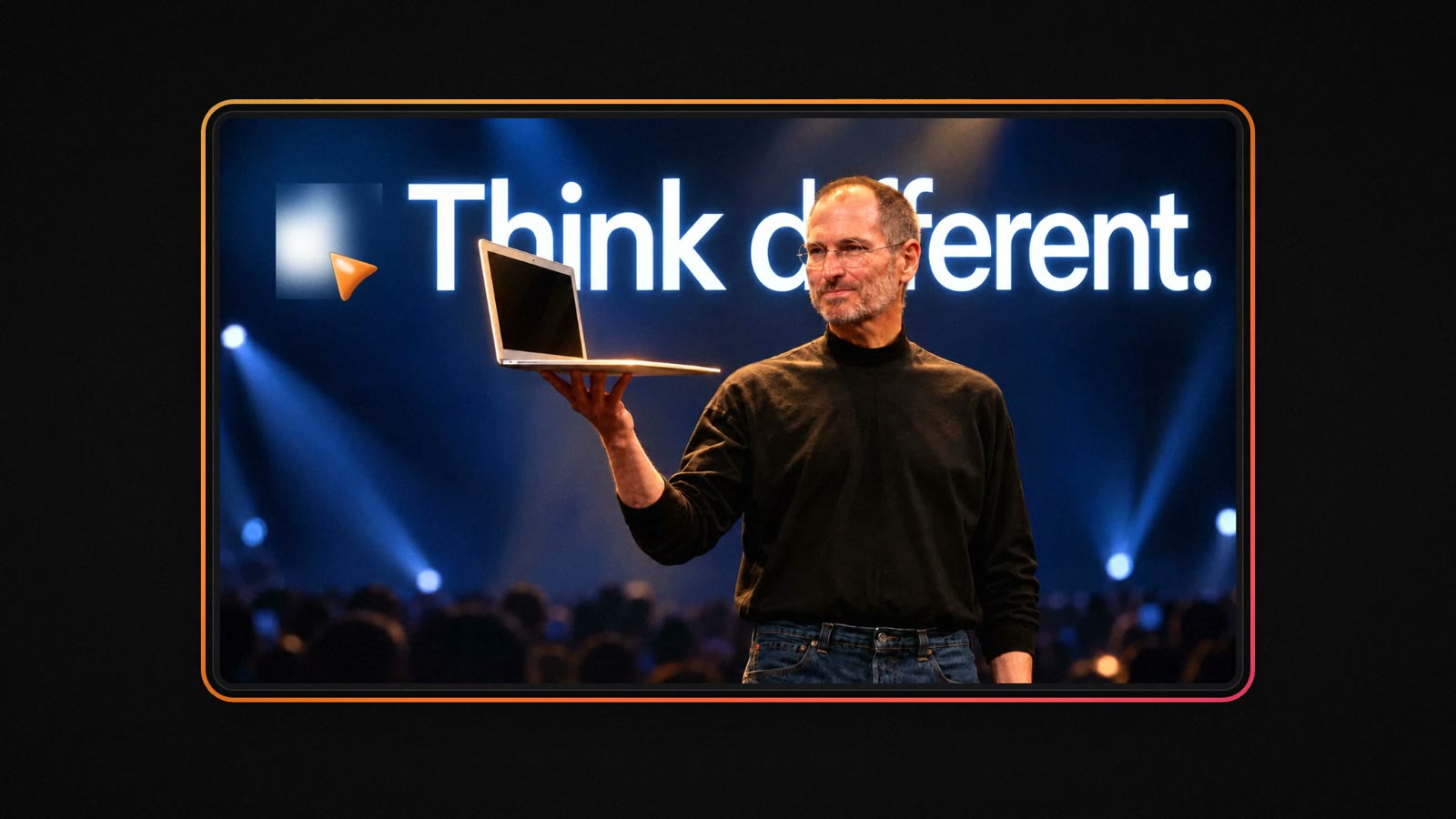
And a thumbnail, made for the same video:
Any length, any niche
A video can be anywhere from 1 to 30 minutes. A 60-second explainer and a 25-minute documentary start the same way: with a topic.
Cook Studio adapts itself to the niche you write for. A mystery channel gets unsolved cases told with archives, maps and data animations. A 3D animation channel gets cinematic scenes and slow camera moves. A motion graphics channel gets kinetic typography and no photos at all. You describe the topic; the kitchen picks the treatment.
Style Match: reference a video, get the same style
Already have a look you like? Paste the link of a video, and Cook Studio studies its style and makes your video the same way.
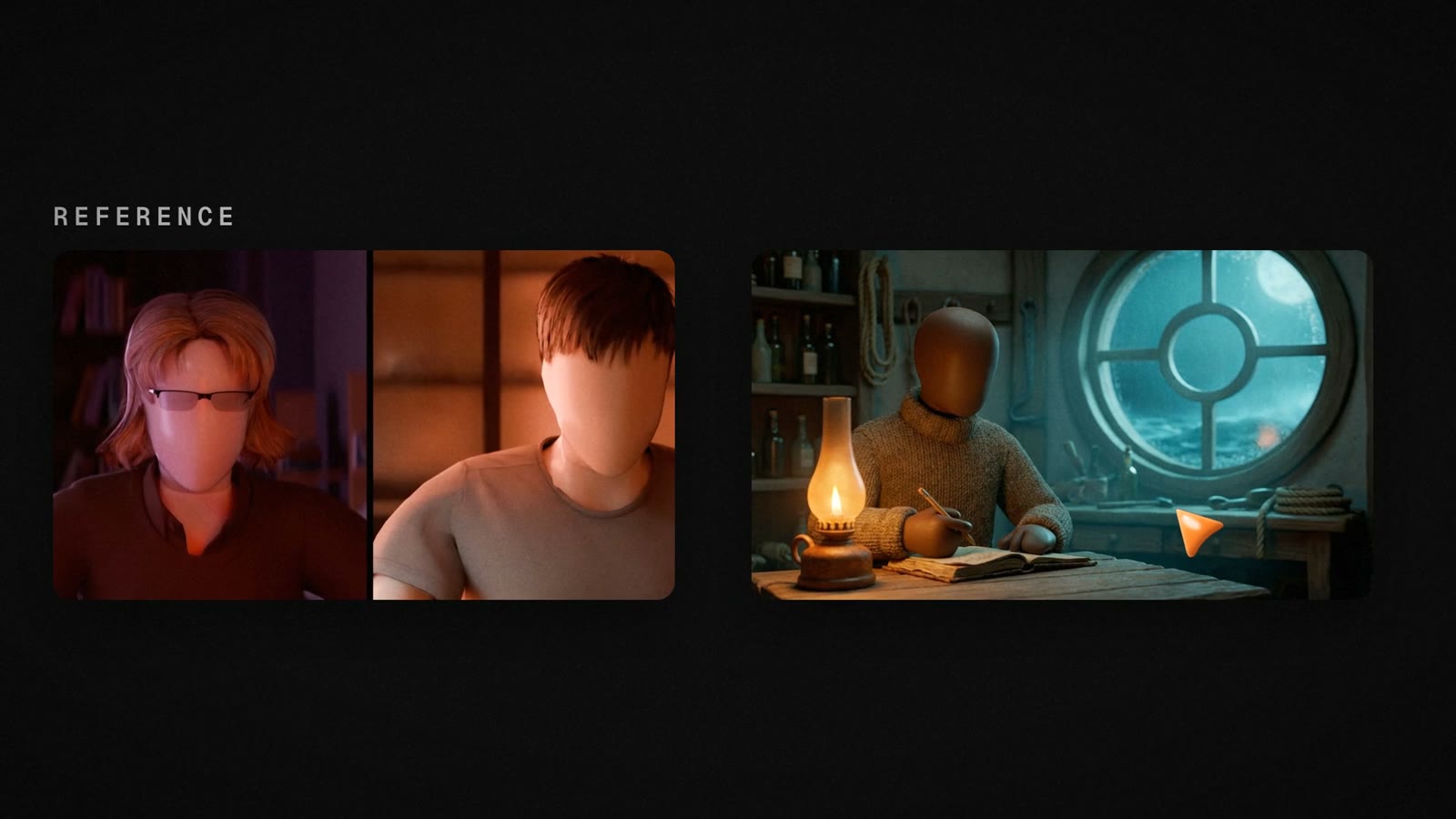
For brands, this is how a channel keeps one look across every episode: reference your brand's video once, and every new video follows it.
You're the head chef
A finished video is not the end of the conversation. Watch it, and wherever something isn't right, write what you want in plain words: "change the photo at 00:07", "put a 2D animation at 02:34". Cook Studio revises that scene and gives you the new version.
HeyTuber: a face for your channel
Some niches want a person on screen. HeyTuber is our AI avatar model: type an age and a job, and your realistic avatar is ready. "71 years old, retired ice fisherman in Alaska" becomes a face, a voice, a home and a way of speaking.
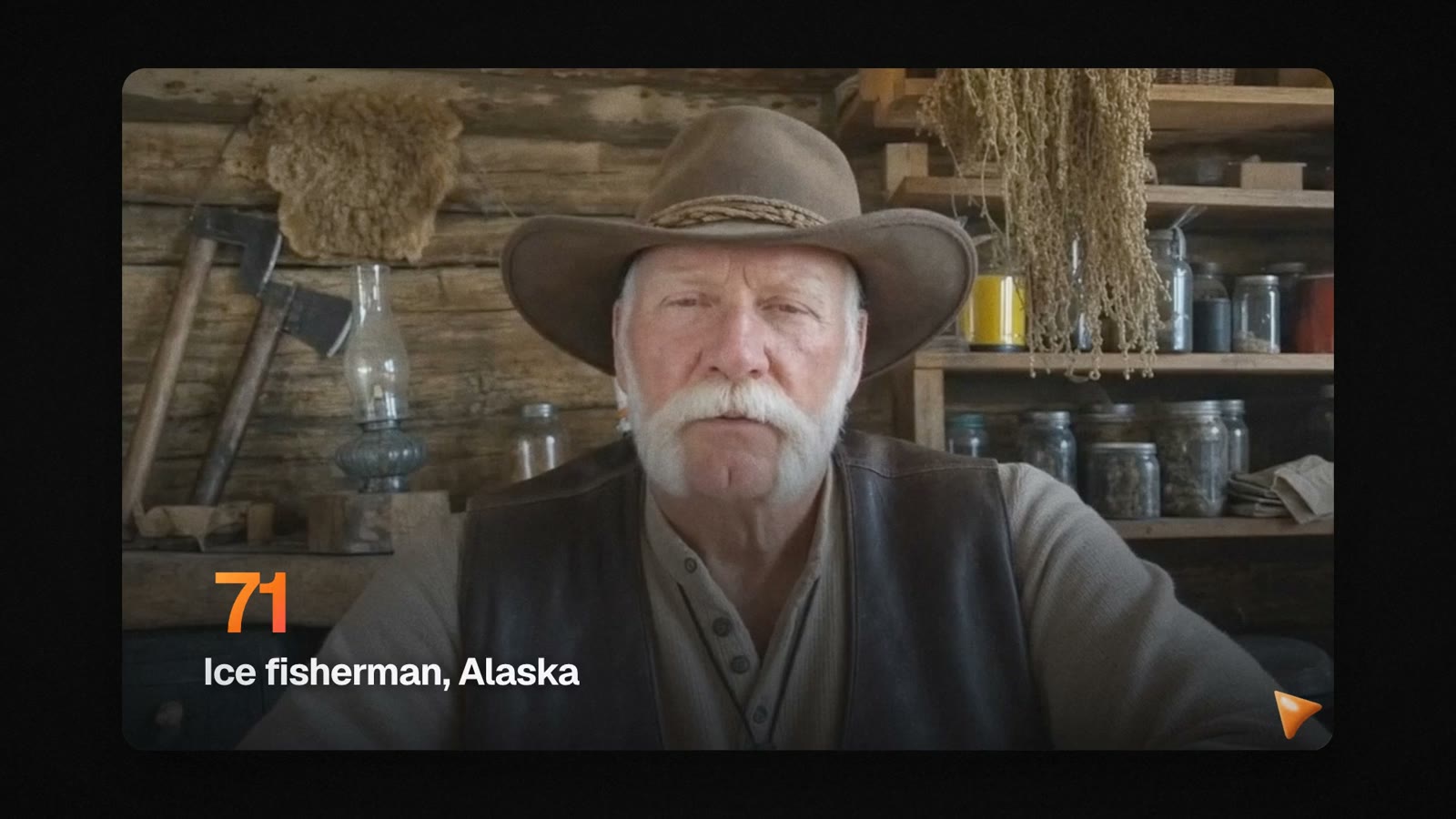
The character is created once and stays the same in every video. It talks to camera, and the video is edited with B-roll and split screen.
How credits work
- 1 minute of video is 50 credits
- A visual style or a reference video adds 10 credits per minute
- Unused credits never expire; they roll over to the next month
- If a video fails, the credits are refunded automatically
Start cooking
Write a topic, get a publish-ready YouTube video. Your first video starts at cookstudio.ai.
Cook this topic
Turn this into a video
Sign in with Google; your prompt will be waiting in your kitchen.
Frequently asked questions
- How long can a Cook Studio video be?
- Any length from 1 to 30 minutes. You pick the length when you write your topic.
- How are credits charged?
- 1 minute of video is 50 credits. A visual style or a reference video adds 10 credits per minute. Unused credits never expire and roll over to the next month, and if a video fails, the credits are refunded automatically.
- Can I change a video after it's finished?
- Yes. Write what you want changed in plain words, for example "change the photo at 00:07", and Cook Studio revises that scene.
- How long does a video take to cook?
- A 1-minute video usually takes 15 to 30 minutes. You can leave the page; cooking continues in the background.